Canva vs AI Marketing Tools: Creating Visual Content
Canva is primarily a manual, template-driven design tool augmented by AI features like Magic Design and Magic Resize. Dedicated AI marketing platforms are automated generators that build entire campaigns, presentations, or ads from scratch using brand guidelines. The real question is not which tool is better, it is whether you are using the right combination to stay competitive.
Key Takeaways: Canva vs AI Marketing Tools
- Canva is a design-first platform with built-in AI features — it is not a replacement for dedicated AI marketing tools that handle copywriting, campaign automation, or audience targeting.
- Canva’s Magic Studio suite includes text-to-image generation, AI video creation, Magic Resize, and background removal — all inside one workspace starting at $14.99/month for Pro.
- Most marketers get the best results by combining Canva with specialist AI tools like Copy.ai or Sprout Social, rather than choosing one over the other.
- Posts with images generate 650% more engagement — making visual content tools like Canva a non-negotiable part of any marketing strategy.
- Keep reading to find out which setup — Canva alone, AI tools alone, or both — actually fits your team size and budget.
Visual content has never mattered more, and the tools available to create it have never been more powerful or more confusing. Canva now ships with a full AI suite called Magic Studio, while standalone AI marketing platforms keep expanding into design territory. Knowing where each tool actually starts and stops is the difference between a streamlined workflow and a bloated, expensive tech stack.
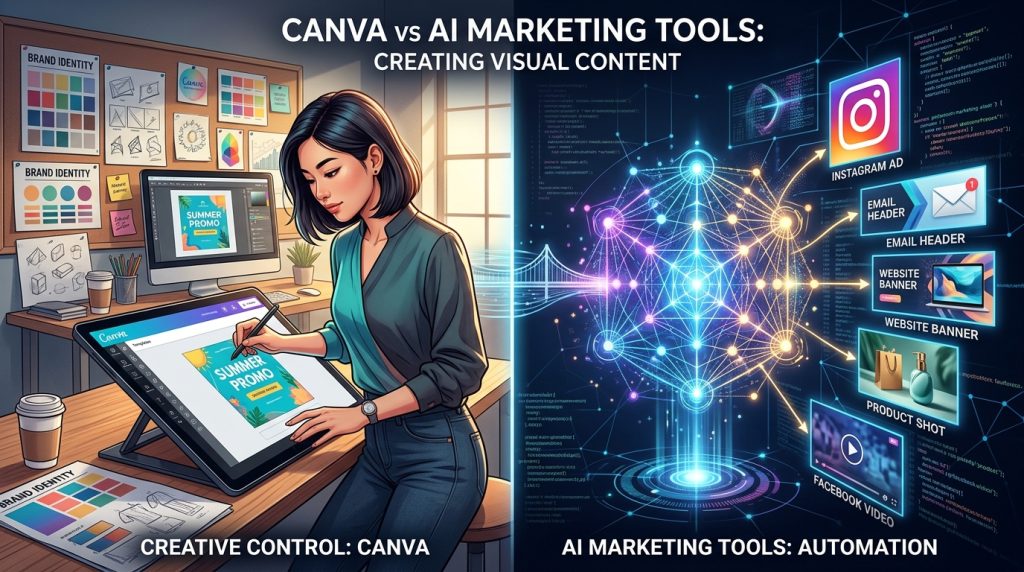
Canva Sits in a Different Lane Than Most AI Marketing Tools
At first glance, Canva vs AI marketing tools seem to be competing for the same space. They are not. They solve fundamentally different problems, and conflating them leads to poor purchasing decisions and gaps in your marketing output.
What Canva Actually Is (And What It Is Not)
Canva is a visual creation platform. Its core job is to help anyone — designer or not — produce polished graphics, videos, presentations, and branded content without needing Adobe Creative Suite skills. It does this through a drag-and-drop interface, hundreds of thousands of pre-made templates, and an increasingly capable set of AI-powered tools grouped under Magic Studio. What Canva is not is a campaign management platform, a copywriting engine, or a customer segmentation tool. It does not send emails, manage ad spend, or analyse audience behaviour.
How AI Marketing Tools Differ From Canva’s Approach
Dedicated AI marketing tools are built around automation, data, and language. Platforms like Copy.ai generate long-form ad copy, blog posts, and email sequences at scale. Sprout Social uses AI to schedule content, track engagement trends, and recommend optimal posting times. HubSpot’s AI layer ties content generation to CRM data, allowing personalised campaigns to run automatically based on where a lead sits in a funnel. These tools think in campaigns. Canva thinks in canvases.
The key functional difference comes down to output type. AI marketing tools produce strategy, copy, automation, and data insight. Canva produces visuals. A well-run marketing operation needs both outputs — and the tools that create them rarely overlap in meaningful ways.
Why Marketers Often Need Both
The most effective marketing workflows treat Canva as the creative production layer and AI marketing tools as the strategic and copy layer. Your AI copywriting tool drafts the ad headline. Canva turns that headline into a set of visually consistent ad creatives, resized for every platform in one click. Neither tool replaces the other — they feed into each other.
Here is a quick comparison of where each category excels:
| Capability | Canva (Magic Studio) | Dedicated AI Marketing Tools |
|---|---|---|
| Visual content creation | ✓ Strong | ✗ Limited |
| AI copywriting | ✓ Basic | ✓ Advanced |
| Campaign automation | ✗ Not available | ✓ Core feature |
| Brand kit management | ✓ Strong | ✗ Rare |
| Audience targeting | ✗ Not available | ✓ Core feature |
| Multi-platform resize | ✓ One-click | ✗ Not available |
| AI image generation | ✓ Built-in | ✗ Rarely included |
| Social media scheduling | ✓ Basic | ✓ Advanced |
What Canva’s AI Features Can Do for Your Visual Content
Canva has moved well beyond templates. Magic Studio is a suite of AI-powered tools baked directly into the Canva workspace, and for visual marketing specifically, several of these features are genuinely worth knowing in detail.
Magic Design: From Prompt to Polished Template
Magic Design is Canva’s flagship generative tool. Type a text prompt or upload a photo, and Magic Design generates a fully laid-out, on-brand design in seconds — complete with typography, colour scheme, and image placement. It is not just picking a template and swapping text. The tool reads the intent of your prompt and adapts layout, font weight, and visual hierarchy accordingly. For marketers who need to produce social posts, pitch decks, or promotional banners quickly, this cuts the blank-canvas problem entirely.
The practical use case here is speed-to-publish. A campaign that previously required briefing a designer, waiting for a draft, and going through revision rounds can now start with a Magic Design output and get refined from there. That is a fundamentally different production timeline.
Magic Resize Removes the Platform-Switching Problem
Magic Resize is one of those features that sounds minor until you have spent an afternoon manually reformatting a single graphic for Instagram Stories, LinkedIn, Facebook, and a Google Display ad. With Magic Resize, you select your target dimensions and Canva automatically repositions elements, scales images, and adjusts text to fit — across all selected formats simultaneously. For social media marketers running multi-platform campaigns, this is one of the highest time-saving features in the entire platform.
Text-to-Image and AI Video Generation Inside One Workspace
Canva’s text-to-image tool lets you type a description and generate original visuals directly inside your design — no need to jump to Midjourney, download the output, and re-import it. The AI Video Generator extends this to motion content, turning prompts or scripts into short video clips you can use for social reels, ads, or presentations. Both tools sit inside the same workspace where you are already building your layouts, which keeps the workflow tight and eliminates the multi-tool context-switching that fragments creative production.
The quality of Canva’s AI image generation sits below dedicated tools like Midjourney for photorealistic output, but for marketing use cases — abstract backgrounds, illustrated product mockups, social graphics — it is more than capable and far more convenient.
Background Removal and AI Image Editing Without Photoshop
Canva’s one-click background removal uses AI to detect and strip backgrounds from product photos or portraits with enough accuracy for most marketing contexts. Combined with AI-powered Magic Eraser (which removes unwanted objects from photos), Magic Grab (which lets you select and reposition subjects inside an image), and Magic Expand (which extends the edges of an image using generative fill), Canva covers a significant portion of what used to require Photoshop for standard marketing asset production.
In-Image Translation Across 100+ Languages
Canva’s Translate feature uses AI to detect and replace text inside a design across more than 100 languages — without breaking the layout. For global marketing teams producing localised content at scale, this removes one of the most tedious steps in international campaign production. Instead of rebuilding a design from scratch for each market, you select a target language and Canva handles the text swap, font adjustment, and text box resizing automatically. Learn more about how AI marketing tools are transforming content creation.
The practical impact is significant for brands running campaigns across multiple regions. A single Instagram carousel designed in English can be localised into Spanish, French, German, and Japanese in minutes — each version ready to publish with correct typography and layout integrity intact. That kind of output used to require either a dedicated localisation team or a very patient designer.
Where Dedicated AI Marketing Tools Pull Ahead
Canva’s AI features are genuinely impressive for visual production, but the moment your marketing needs shift from creating content to strategising, writing, automating, or analysing, dedicated AI marketing tools take over in ways Canva simply cannot match.
AI Copy and Campaign Tools That Canva Does Not Replace
Copy.ai, Jasper, and similar platforms are purpose-built for generating high-converting marketing copy at scale. They can produce full email sequences, A/B test variations of ad headlines, write SEO-optimised landing page content, and adapt tone of voice based on audience personas — all from a single brief. Canva’s built-in text tools can write a caption or suggest a tagline, but they are not built to replace a dedicated copywriting workflow. The depth simply is not there.
Campaign automation tools like HubSpot, Mailchimp, and ActiveCampaign go further still. They connect copy generation to audience segmentation, send timing, behavioural triggers, and performance reporting. These platforms manage the entire lifecycle of a campaign — from the first touchpoint to conversion tracking — in a way that Canva is not designed to do. If your marketing strategy involves nurture sequences, lead scoring, or multi-step email funnels, you need a dedicated tool alongside Canva, not instead of it.
Deeper Personalisation and Audience Targeting Capabilities
AI marketing tools built around personalisation — like Persado or Dynamic Yield — use machine learning to adapt content in real time based on user behaviour, demographics, and purchase history. They can serve a different headline to a first-time visitor versus a returning customer, and they learn which variants perform better over time. This level of dynamic personalisation sits entirely outside Canva’s scope.
Sprout Social’s AI layer analyses engagement data across platforms and recommends not just when to post, but what type of content resonates with specific audience segments. That insight feeds directly back into your creative decisions — and it is the kind of closed-loop intelligence that makes AI marketing platforms genuinely strategic rather than just productive.
Visual Content Quality: Canva Templates vs AI-Generated Originals
The quality conversation is where most marketers get stuck. Templates offer speed and consistency, but they come with a ceiling. AI-generated originals offer uniqueness, but they introduce a different set of risks. Understanding where each approach breaks down is what separates a smart visual strategy from one that creates problems down the line.
When Templates Limit Your Brand Differentiation
Canva has over one million templates — and so does every other business using Canva. When you use a popular template without significant customisation, you run a real risk of your content blending into the visual noise your audience already scrolls past. This is especially true for brands in competitive categories like e-commerce, coaching, or hospitality, where visual identity is a primary differentiator. A template that looks polished on day one can start to feel generic by month three.
The solution is not to abandon templates — it is to use them as a structural starting point rather than a finished product. Applying a strict Brand Kit inside Canva (custom fonts, brand colours, logo placement rules) to any template before publishing dramatically reduces the sameness problem. Canva Pro’s Brand Kit feature locks these elements across your team, which means every output feels ownable even when the underlying layout came from the template library.
When AI-Generated Visuals Create Consistency Problems
AI image generation tools — whether Canva’s built-in generator, Midjourney, or DALL•E 3 — produce visuals that are original by definition, but original does not automatically mean consistent. Each prompt generates a new output, and without careful prompting and a defined visual style guide, AI-generated images across a campaign can feel disconnected from one another. Colour temperature, illustration style, subject framing, and mood can vary widely between generations, even with similar prompts.
This inconsistency is a genuine brand risk for any business where visual cohesion signals professionalism and trust. The fix requires discipline rather than a different tool:
- Build a master prompt template that includes your brand’s specific visual style, colour palette references, and mood descriptors
- Save high-performing prompt structures and reuse them across campaigns
- Run all AI-generated visuals through a brand consistency check before publishing
- Use Canva’s Brand Kit to apply typography and colour overlays that unify disparate AI images into a cohesive layout
- Limit AI-generated images to specific content types (backgrounds, abstract textures, illustrative headers) rather than core brand identity visuals
Used with those guardrails in place, AI-generated visuals can add creative range to a content library without undermining brand recognition.
Canva Pricing vs Standalone AI Tool Costs
Budget is where the Canva vs AI marketing tools conversation gets very practical, very fast. The cost of assembling a full marketing tech stack — design, copy, scheduling, analytics — adds up quickly, and understanding what Canva’s pricing actually covers helps clarify how many additional tools you genuinely need to purchase.
What You Get on Canva’s Free Plan
Canva’s free plan is surprisingly capable for solo marketers or early-stage businesses. It includes access to over 1 million templates, basic drag-and-drop design tools, limited AI credits for Magic Studio features, up to 5GB of cloud storage, and the ability to collaborate with others on shared designs. For someone just starting to build a social media presence or produce basic marketing materials, the free tier covers a meaningful amount of ground without any financial commitment.
The limitations become noticeable when you need advanced AI features, Brand Kit functionality, background removal at volume, or access to Canva’s full premium template and asset library. Those capabilities sit behind the Pro paywall — and for most marketing use cases, they are worth it.
Canva Pro at $14.99 Per Month vs Paying for Separate AI Tools
At $14.99 per month, Canva Pro includes unlimited premium templates, full Magic Studio AI access, Brand Kit tools, Magic Resize, background removal, 1TB of storage, and content scheduling for up to 8 social media platforms. For a solo marketer or small team, this single subscription replaces what would otherwise require a stock image subscription, a basic scheduling tool, a background removal app, and a design platform — potentially saving hundreds of dollars per month in separate tool costs.
Where the cost comparison shifts is when you start adding the dedicated AI marketing tools that Canva cannot replace. A Copy.ai Pro plan runs $49/month. Sprout Social starts at $199/month. Jasper’s Creator plan is $49/month. For a scaling brand that needs AI copy, visual design, and social intelligence, the combined stack cost climbs fast — which is exactly why understanding what each tool does (and does not do) before subscribing matters so much.
The Right Setup Depends on Your Team Size and Budget
There is no universal answer to the Canva vs AI marketing tools question — because the right answer depends entirely on who is doing the marketing, how much content they need to produce, and what their bottleneck actually is. A freelance social media manager has completely different constraints than a growth-stage e-commerce brand running paid ads across five channels.
The most common mistake is over-investing in tools before understanding the workflow gap. Before adding any new platform to your stack, identify whether your problem is visual output, copy quality, campaign automation, or analytics. That single diagnosis will tell you whether Canva Pro solves your problem alone, or whether you need specialist AI tools sitting alongside it.
Solo Marketers and Small Teams: Start With Canva
For solo marketers, freelancers, and small teams producing content for one or two brands, Canva Pro at $14.99 per month is almost always the right starting point. It handles design, basic AI generation, brand consistency, asset storage, and light social scheduling in a single workspace. Adding a full suite of dedicated AI tools on top of that before you have outgrown Canva’s capabilities is a budget drain that rarely pays off at this stage.
The exception is copywriting. Even solo marketers benefit from a dedicated AI writing tool when producing ad copy, email sequences, or landing page content at volume. Copy.ai’s free tier — which includes limited monthly credits — is often enough to supplement Canva at this stage without adding monthly cost. Use it to generate headline options and caption variations, then bring those into Canva to pair with your visuals.
A practical starter stack for a solo marketer or small team might look like this:
Starter Marketing Stack (Under $20/month)
• Canva Pro — $14.99/month | Visual content creation, brand kit, AI image tools, basic scheduling
• Copy.ai Free Tier — $0/month | AI copywriting for captions, headlines, and short-form content
• Google Analytics (Free) — $0/month | Traffic and conversion tracking
• Meta Business Suite (Free) — $0/month | Facebook and Instagram scheduling and basic insightsTotal: ~$14.99/month for a complete visual marketing production workflow.
Scaling Brands: Where Custom Design and Specialist AI Tools Win
Once a brand is producing content across multiple channels, running paid campaigns, managing a team of marketers, and targeting segmented audiences — Canva alone starts to show its limits. At this scale, the investment in specialist AI tools pays for itself through efficiency gains and conversion improvements. A dedicated social intelligence platform like Sprout Social tells you what content is actually performing and why. A campaign automation tool like HubSpot connects your creative output to lead nurturing at a level Canva was never built to reach. Custom design work — done by an in-house designer or agency using professional tools — ensures brand differentiation that template-based production cannot guarantee. The right model at scale is Canva handling rapid asset production and team collaboration, while specialist AI tools manage strategy, copy, and performance intelligence around it.
Posts With Images Get 650% More Engagement — Here Is How to Act on That
That figure is not a reason to produce more images. It is a reason to produce better ones, faster. The marketers who benefit most from the current wave of AI visual tools are not the ones using every feature available — they are the ones who have built a repeatable system. A defined Brand Kit in Canva. A prompt library for AI image generation. A Magic Resize workflow that turns one design into eight platform formats in under two minutes. That system is what turns a stat into a measurable advantage.
The tools covered in this article — Canva’s Magic Studio, dedicated AI copy platforms, social intelligence tools — are all means to the same end: getting the right visual content in front of the right audience, consistently, without burning out your team or your budget. Start with what solves your biggest bottleneck today, build the workflow around it, and layer in additional tools only when a specific gap demands it. That approach will outperform any stack assembled by trend alone.
Frequently Asked Questions About Canva vs AI Marketing Tools
Marketers searching for clarity on Canva versus AI marketing tools tend to circle the same core questions. Here are direct answers based on how these tools actually function in real marketing workflows.
Is Canva considered an AI marketing tool?
Canva is primarily a visual design platform that has integrated AI features through its Magic Studio suite. It is not a dedicated AI marketing tool in the way that Copy.ai, Jasper, or HubSpot’s AI layer are — those platforms are built around language generation, automation, and campaign intelligence. Canva’s AI capabilities are focused on visual production: generating images, resizing designs, removing backgrounds, and suggesting layouts.
Whether Canva qualifies as an AI marketing tool depends on how narrowly you define the category. By a broad definition — any tool that uses AI to assist marketing tasks — yes, Canva qualifies. By a stricter definition focused on campaign strategy, copy automation, and audience data, it does not. The distinction matters because:
- Canva’s AI assists with creative production, not campaign logic
- It does not connect to audience data or CRM systems
- It cannot generate long-form copy, email sequences, or ad targeting recommendations
- Its AI is optimised for visual output, not conversion strategy
- Most marketing teams use Canva alongside AI marketing tools, not instead of them
The most accurate framing is that Canva is an AI-powered design platform with strong marketing applications — not a full AI marketing suite.
Can Canva replace a professional graphic designer?
For standard marketing asset production — social media graphics, simple ads, presentations, email headers, and branded templates — Canva handles the workload competently without design expertise. However, for complex brand identity work, custom illustration, high-end campaign creative, or anything requiring deep technical execution, a professional designer still brings capabilities that Canva’s template and AI system cannot replicate. Most growing brands find the right balance is using Canva for day-to-day content production while retaining a designer (in-house or freelance) for brand-level creative decisions.
What AI tools work best alongside Canva for marketing?
The strongest combinations pair Canva’s visual production strengths with tools that handle what it cannot. Copy.ai or Jasper for AI copywriting and ad headline generation. Sprout Social for social scheduling, engagement tracking, and audience intelligence. HubSpot for campaign automation, email marketing, and CRM-connected personalisation. Google Analytics 4 for performance data that informs which visual content formats are actually converting. Together, these tools cover the full marketing workflow — strategy, copy, design, distribution, and analysis — without redundancy.
Is Canva’s free version enough for small business marketing?
Canva’s free plan covers a meaningful amount of ground — over one million templates, basic design tools, limited AI credits, and up to 5GB of storage. For a small business just starting to build a social media presence or producing occasional marketing materials, the free tier is a legitimate starting point that requires no financial commitment.
The free plan starts to create friction when you need advanced AI features at volume, Brand Kit functionality to maintain consistency across a team, background removal without daily limits, or Magic Resize for multi-platform publishing. At that point, the upgrade to Canva Pro at $14.99 per month pays for itself quickly in time saved — and for most active small business marketers, that threshold arrives within the first few months of regular use.
How does Canva’s Magic Design compare to standalone AI image generators like Midjourney?
Canva’s Magic Design and Midjourney are solving different problems. Magic Design generates complete, layout-ready designs — it considers typography, composition, and structure alongside the image itself. Midjourney generates standalone images with exceptional photorealistic or artistic quality, but delivers a raw visual file that still needs to be placed inside a design environment to become a usable marketing asset.
For photorealistic output, Midjourney produces significantly more detailed and visually sophisticated results than Canva’s built-in image generator. The gap in image quality between the two platforms is real and noticeable, particularly for product-adjacent imagery or editorial-style visuals where texture, lighting, and detail define the result.
Where Canva’s approach wins is workflow efficiency. Generating an image inside Canva means it is immediately available inside the design you are already working on — no export, no file transfer, no re-import. For marketers who need competent AI visuals inside a finished layout quickly, that convenience is worth more than the quality ceiling Midjourney can reach.