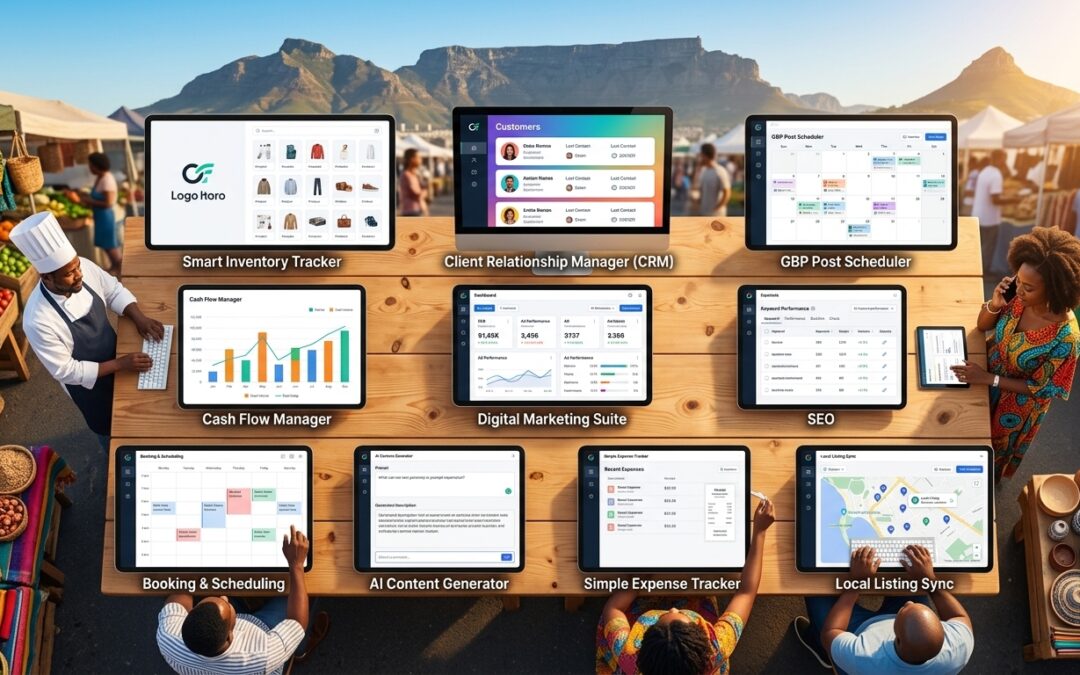
10 Free Business Tools Every Cape Town SME Needs
Key Takeaways: Free Business Tools Every Cape Town SME Needs
- Cape Town SMEs can access over 10 completely free digital tools that cover marketing, accounting, operations, and communication without spending a rand.
- CapeBiz Toolkit is Cape Town’s dedicated business resource hub, built specifically for the Western Cape market with local marketing tools and templates designed for SMEs in the Cape Metropole.
- Google Business Profile is one of the most powerful free tools available for location-based Cape Town businesses — and most SMEs are still not using it to its full potential.
- Free tools like Wave Accounting handle South African VAT requirements, invoicing, and expense tracking at zero cost.
- The smartest approach isn’t downloading all ten tools at once — the strategy for actually making them work is covered at the end of this article.
Most Cape Town small business owners are paying for software they don’t need, while ignoring powerful free tools that could do the same job, or better. The gap between a well-equipped SME and an under-resourced one is no longer about budget, it’s about knowing where to look.
Cape Town SMEs Are Overpaying For Tools They Could Get Free
Running a business in Cape Town comes with its own set of pressures — load shedding contingencies, seasonal tourist traffic fluctuations, and navigating customers spread across neighborhoods as diverse as Sea Point, Bellville, and Khayelitsha. Generic international business tools are often built with none of this in mind. The good news is that a growing number of free tools, including locally developed ones, are closing that gap fast.
The tools listed here have been selected based on one criteria: genuine, measurable value for Cape Town SMEs. Each one is completely free to start, requires no credit card, and addresses a real operational challenge that local businesses face.
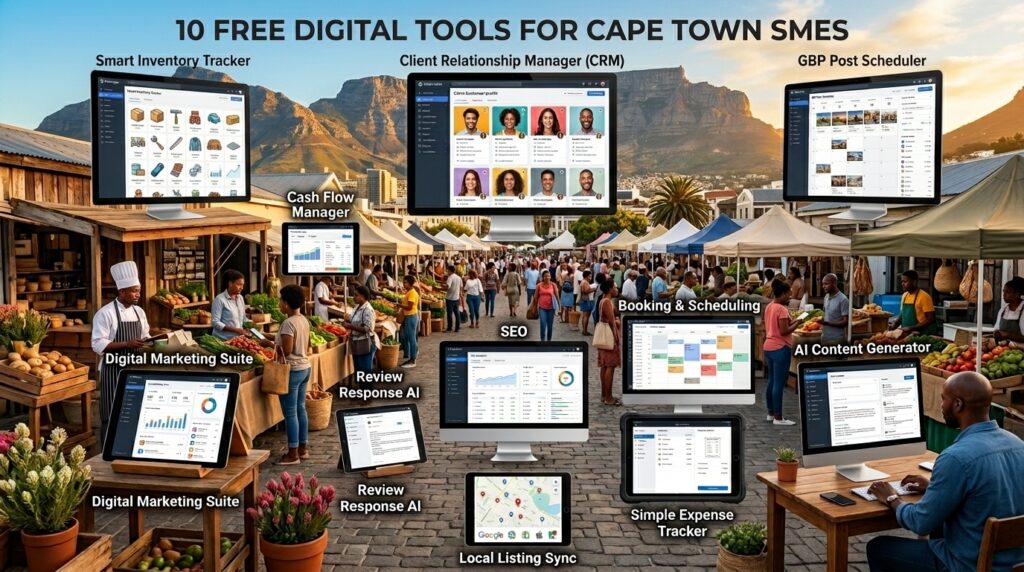
1. CapeBiz Toolkit: Cape Town’s Local Business Marketing Hub
Most free business tool lists hand you the same international platforms and call it a day. CapeBiz Toolkit is different — it was built specifically for businesses operating in the Cape Town area, which immediately sets it apart from every other tool on this list.
What makes CapeBiz Toolkit unique: Unlike generic marketing platforms, CapeBiz Toolkit includes templates optimized for local Cape Town marketing campaigns, scheduling tools calibrated to Cape Town’s business rhythms, and curated resources that help SMEs connect directly with local customer segments in the Cape Metropole region.
Sign-up is straightforward — no credit card required, no complicated onboarding. Local businesses get immediate access to marketing tools that understand the Western Cape market without needing to adapt international templates that were never designed with South African businesses in mind.
What CapeBiz Toolkit Actually Does For Local Businesses
The platform functions as a centralized hub where Cape Town entrepreneurs can access free essential marketing tools trusted by other local businesses. Think of it as a curated toolkit built by people who understand what it actually takes to market a business in Cape Town — not San Francisco or London.
Practically speaking, CapeBiz Toolkit gives SMEs access to marketing utilities and planning tools in one place. This matters because most small business owners don’t have time to stitch together ten different platforms. Having localized tools under one roof reduces friction and helps owners actually implement their marketing rather than just planning it.
The platform is particularly valuable for businesses that operate across Cape Town’s distinct local communities. Marketing to customers in the CBD looks very different from reaching customers in the Southern Suburbs or the Cape Flats, and CapeBiz Toolkit’s resources account for that granularity in a way that international tools simply don’t.
- Local campaign templates built for the Cape Metropolitan market
- Marketing scheduling tools that align with Cape Town’s seasonal business cycles
- Resources curated specifically for Western Cape SME needs
- No credit card required — completely free to join and use
- Single sign-on access to multiple essential business utilities
How To Get Started With CapeBiz Toolkit For Free
Head to capebiztoolkit.co.za, click the Register button, and create your free account. Setup takes under five minutes. Once inside, browse the available tools and start with whichever addresses your most pressing current marketing challenge — whether that’s social content, local visibility, or campaign planning.
2. Google Business Profile: Put Your Business on the Cape Town Map
If your Cape Town business isn’t showing up on Google Maps, you’re invisible to a massive portion of your potential customers. Google Business Profile (formerly Google My Business) is completely free and is arguably the single highest-ROI tool any location-based Cape Town business can use.
Why Google Business Profile Matters More in Cape Town Than Anywhere Else
Cape Town attracts millions of domestic and international tourists annually, many of whom search Google for restaurants, service providers, shops, and experiences in real time while they’re physically in the city. A fully optimized Google Business Profile means your business appears in those searches — without spending a cent on advertising.
Local search reality for Cape Town businesses: Searches like “coffee shop near V&A Waterfront,” “electrician in Pinelands,” or “hair salon Claremont” all pull results from Google Business Profiles. Businesses without a complete profile — or without one at all — don’t appear in these results regardless of how good their website is.
Beyond tourist traffic, local Cape Town residents rely heavily on Google Search and Maps to find nearby services. An incomplete or missing profile doesn’t just cost you tourist business — it costs you repeat local customers who would otherwise walk through your door regularly.
The setup process involves claiming your business listing, verifying your location (Google sends a postcard or offers phone verification), and completing your profile with accurate hours, photos, a business description, and your service categories. The entire process takes roughly 30 to 60 minutes and the ongoing maintenance is minimal.
The Features Cape Town SMEs Use Most
Beyond simply appearing in search results, Google Business Profile offers tools that actively help you manage your local reputation and communicate with customers. The Q&A section lets you pre-answer common questions, while the Posts feature allows you to share promotions, events, and updates directly on your Google listing — all for free.
Customer reviews are perhaps the most powerful feature. Cape Town consumers trust Google reviews heavily when making purchasing decisions, and actively responding to reviews (both positive and negative) signals to both Google and potential customers that your business is active, professional, and customer-focused.
3. Wave Accounting: Free Financial Management Built for Small Businesses
Accounting software is one of the first things Cape Town SME owners consider paying for — and one of the last things they need to. Wave Accounting delivers genuinely professional financial management at zero cost, covering invoicing, expense tracking, receipt scanning, and financial reporting without a subscription fee.
Wave earns revenue through optional payment processing and payroll services, which means the core accounting features remain permanently free — not a trial, not a freemium bait-and-switch. For a Cape Town SME that needs clean books, professional invoices, and a clear picture of cash flow, Wave delivers everything that entry-level paid software offers.
The platform is cloud-based, which matters for Cape Town businesses dealing with load shedding. As long as you have internet access — even via mobile data — your financial records are accessible and safe regardless of what’s happening with Eskom.
How Wave Handles South African Tax Requirements
Wave allows users to set up custom tax rates, meaning Cape Town businesses registered for VAT can configure the standard 15% South African VAT rate directly within the platform. Invoices automatically calculate and display VAT, and expense records can be tagged accordingly, making VAT returns significantly less painful at the end of each tax period. While Wave is not built exclusively for South Africa, its flexibility accommodates SARS requirements effectively for most SMEs.
Invoicing and Payment Collection With Wave
Wave’s invoicing tool lets you create branded invoices with your business logo, customize payment terms, set up automatic payment reminders, and track which invoices are outstanding — all from the free plan. For Cape Town service businesses, freelancers, and product sellers who need to invoice clients regularly, this alone replaces software that other platforms charge R300 to R800 per month to provide.
4. Canva: Professional Marketing Visuals Without a Designer
Cape Town is a visually competitive market — from the polished social feeds of Camps Bay restaurants to the slick promotional material of Century City corporates. Canva’s free plan gives SMEs the ability to produce marketing visuals that look professionally designed, without hiring a designer or learning complex software like Adobe Illustrator.
The free tier includes thousands of templates covering social media posts, flyers, business cards, email headers, and presentation decks. For Cape Town businesses running Instagram promotions, creating in-store signage, or putting together a pitch deck for a potential investor or retail buyer, Canva’s drag-and-drop interface makes professional output genuinely accessible. The learning curve is measured in minutes, not weeks.
- 250,000+ free templates across social, print, and digital formats
- Brand kit feature to store your logo, colors, and fonts for consistent output
- Direct export to Instagram, Facebook, and WhatsApp-ready image sizes
- Collaboration features that let staff or contractors edit shared designs
- Web-based platform — no software installation required, works during load shedding via mobile data
One practical tip for Cape Town SMEs: Use Canva’s free social media scheduling feature to batch-create a week’s worth of posts in one sitting. This is particularly valuable during Cape Town’s peak summer tourist season when operational demands leave little time for daily content creation.
5. Mailchimp: Free Email Marketing For Up To 500 Subscribers
Email marketing consistently outperforms social media for direct customer engagement, and Mailchimp’s free plan makes it accessible to any Cape Town SME just getting started with digital marketing. The free tier supports up to 500 subscribers and 1,000 email sends per month — more than enough for most local businesses building their first customer list.
Building a Cape Town Customer Email List From Scratch
The fastest way to build a local email list is through in-person touchpoints — something Cape Town businesses have in abundance. A simple sign-up form at your till point, a QR code on your menu linking to a Mailchimp sign-up page, or a short-term discount offer in exchange for an email address are all proven methods used successfully by local SMEs across the Cape Metropole.
Mailchimp provides embeddable sign-up forms that connect directly to your list, meaning every new subscriber lands in your database automatically with no manual capturing required. For a Cape Town retailer, café, or service provider with consistent foot traffic, this passive list-building approach can grow a meaningful email database within a single tourist season.
Free Automation Features That Save Hours Each Week
Even on the free plan, Mailchimp includes basic email automation. A welcome email that triggers automatically when a new subscriber joins your list is the single most impactful automation any Cape Town SME can set up — welcome emails consistently achieve open rates two to three times higher than standard campaign emails. Set it up once, and it works indefinitely without any further input from you.
The free plan also includes audience segmentation tools, basic analytics showing open rates and click-through rates, and a drag-and-drop email builder with pre-designed templates. For a Cape Town SME moving from zero email marketing to a structured, consistent communication channel, this free toolset is more than sufficient to get meaningful results.
6. Trello: Manage Your Business Operations on One Free Board
Operational chaos is one of the biggest hidden costs in small businesses — tasks fall through the cracks, staff duplicates effort, and nothing has a clear owner. Trello’s free plan solves this with a visual board system that lets Cape Town SMEs map out their entire operation in a single shared workspace that any team member can access from any device.
The free plan includes unlimited cards, up to 10 boards per workspace, and unlimited Power-Up integrations with tools like Google Drive and Slack. A Cape Town events company might use Trello to manage venue bookings, supplier communications, and event-day checklists simultaneously. A retail shop could track stock orders, staff tasks, and supplier follow-ups in one place. The flexibility of Trello’s card-and-board system means it adapts to virtually any business model without customization fees or complex setup.
7. Google Workspace Free Tools: Docs, Sheets, and Drive
Google Workspace’s free tools — specifically Google Docs, Google Sheets, and Google Drive — represent one of the most practical and widely underutilized free technology stacks available to Cape Town SMEs. Together, they replace Microsoft Office entirely for most day-to-day business needs, with the added advantage of real-time collaboration and cloud storage that requires no server infrastructure.
Replacing Paid Microsoft Office With Google’s Free Alternatives
Microsoft 365 Business Basic starts at around R90 per user per month in South Africa. For a Cape Town SME with five staff members, that’s R450 per month — R5,400 per year — for functionality that Google Docs, Sheets, and Slides replicate at no cost. Google Docs handles proposals, contracts, and reports. Google Sheets manages budgets, inventory lists, and sales tracking. Google Slides covers presentations and pitches. The interface is clean, the learning curve is minimal for anyone who has used Microsoft Office, and files are auto-saved continuously, which is particularly valuable when load shedding strikes mid-document.
Collaborating With Staff and Suppliers Across Cape Town
The real power of Google’s free tools shows up in collaboration. Multiple team members can edit the same document simultaneously, leave comments, suggest changes, and track revision history — all without emailing file attachments back and forth. For a Cape Town SME coordinating between a store in the Northern Suburbs and a warehouse in Montague Gardens, or managing remote staff and freelancers, this real-time collaboration eliminates version-control confusion and speeds up every approval process.
Google Drive’s free 15GB of storage per account is sufficient for most SME document libraries. Shared drives allow teams to access centralized folders of templates, contracts, price lists, and marketing assets from any device — no VPN, no file server, no IT department required.
8. SEDA’s Free Business Support Portal: The Government Resource Most SMEs Ignore
The Small Enterprise Development Agency — SEDA — is one of Cape Town’s most valuable and consistently overlooked free business resources. Most local SME owners associate government business support with paperwork, long queues, and slow outcomes. SEDA has invested significantly in digital tools and online resources that bypass most of those frustrations.
What SEDA Actually Offers Cape Town Small Businesses
SEDA provides free business development support, diagnostic tools, mentorship referrals, and access to funding information for qualifying South African SMEs. Through their online portal at seda.org.za, Cape Town business owners can access free business assessment tools that identify gaps in areas like financial management, marketing, and operational efficiency. These assessments are structured, practical, and directly relevant to the challenges small businesses face in a South African context — not a generic international framework adapted poorly for local use.
- Free online business diagnostic and assessment tools
- Access to SEDA’s national network of business advisors and mentors
- Information on government funding programs and grant eligibility
- Free business training resources and workshop access
- Incubation program referrals for qualifying Cape Town SMEs
How To Access SEDA Services Without Wasting Time
The most efficient entry point is the SEDA website at seda.org.za, where you can register for online services, complete a business assessment, and identify which SEDA programs apply to your specific business stage and sector. Cape Town’s nearest SEDA branch is located in the CBD, but most initial engagement and assessment tools are fully accessible online, removing the need for an in-person visit until you have a specific, qualified reason to attend.
SEDA Services Quick Reference for Cape Town SMEs
Service Delivery Method Cost Best For Business Diagnostic Assessment Online Portal Free All SME stages Business Advisor / Mentorship In-person / Online Free Early-stage businesses Funding Information & Referrals Online Portal Free Growth-stage SMEs Business Training Resources Online / Workshops Free Skill development Incubation Program Access In-person Free (qualifying) High-growth potential SMEs
One practical approach that works well for time-pressed Cape Town business owners: complete the online business assessment first. The results will tell you exactly which SEDA services are most relevant to your current situation, so you’re not navigating their full catalog of offerings without direction. It takes roughly 20 to 30 minutes and gives you a clear, actionable output.
SEDA’s value extends beyond the tools themselves. Being connected to SEDA’s advisor network puts Cape Town SMEs in contact with experienced business mentors who understand the South African regulatory environment, local funding landscape, and the specific sector challenges your business is navigating. That caliber of guidance, delivered free of charge, is genuinely difficult to replicate through any other channel.
9. Hootsuite Free Plan: Schedule Social Media Posts Across Platforms
Social media consistency is one of the biggest operational challenges Cape Town SMEs face — not because they lack content ideas, but because posting regularly while running a business is genuinely difficult. Hootsuite’s free plan solves this by letting you schedule posts in advance across multiple platforms from a single dashboard, so your social presence stays active even during your busiest trading days.
The free plan allows scheduling across two social accounts with up to five scheduled posts at a time. For a Cape Town SME just establishing its social media presence, this is a workable starting point. The real value is in the time-batching behavior it creates — sitting down once a week to schedule content is dramatically more efficient than trying to post in real time every day while simultaneously serving customers, managing staff, and handling operations.
Which Social Platforms Matter Most For Cape Town Businesses
For most Cape Town SMEs, Instagram and Facebook remain the highest-priority platforms, with WhatsApp Business functioning as a direct customer communication channel that sits alongside them. Instagram drives discovery for food, retail, tourism, and lifestyle businesses — categories that make up a significant share of Cape Town’s SME economy. Facebook remains strong for community-based businesses and older demographic segments across the Cape Metropole. If your business targets younger consumers in areas like Gardens, Observatory, or the CBD, adding TikTok as a third platform is worth considering, though Hootsuite’s free plan will require you to prioritize which two accounts to connect based on where your actual customers spend their time.
10. Zoom Free Plan: Run Client Meetings Without Paying a Cent
Zoom’s free plan supports unlimited one-on-one meetings and group meetings of up to 100 participants for up to 40 minutes per session. For the vast majority of Cape Town SME client interactions — supplier calls, client consultations, team check-ins, and investor conversations — the free plan is entirely sufficient. The 40-minute group limit sounds restrictive but rarely becomes a practical problem for standard business meetings, and one-on-one calls have no time limit at all.
The broader value of Zoom for Cape Town businesses is geographic reach without travel cost. A Woodstock-based design agency can meet with a Stellenbosch wine estate client without a two-hour round trip. A Cape Town consultant can deliver services to Johannesburg clients without relocating or paying for flights. Zoom effectively removes the geographic ceiling on who a Cape Town SME can serve, all without spending a rand on the tool itself.
Start With Three Tools, Not Ten
The most common mistake Cape Town business owners make with free tools is downloading everything at once and implementing nothing properly. Tool overload is real — when everything is set up halfway, none of it delivers results, and the frustration of managing multiple platforms with no clear system leads most SMEs to abandon the effort entirely within a few weeks.
The smarter approach is sequenced implementation. Start with the three tools that address your most urgent current challenge, get them working properly, build them into your weekly routine, and only then add the next layer. For most Cape Town SMEs, the logical starting stack depends on their immediate priority:
Recommended Starting Stacks for Cape Town SMEs
Business Priority Start With These Three Tools Add Next Getting found locally Google Business Profile, CapeBiz Toolkit, Canva Hootsuite, Mailchimp Managing cash flow Wave Accounting, Google Sheets, Zoom Trello, Mailchimp Building a customer base Mailchimp, Canva, Google Business Profile CapeBiz Toolkit, Hootsuite Improving team operations Trello, Google Docs, Zoom Wave Accounting, Hootsuite Accessing funding & support SEDA Portal, Wave Accounting, Google Sheets Zoom, Trello
Give each tool two to four weeks before evaluating whether it’s delivering value. Most free tools take a short adjustment period before they become genuinely useful habits rather than additional tasks. The Cape Town SMEs that get the most out of free tools are not the ones using the most tools — they’re the ones using a small number of tools consistently and well.
Once your starting stack is embedded into your regular routine, layering in additional tools becomes far less disruptive. Each new tool slots into an existing workflow rather than creating an entirely new one, and the cumulative effect of several well-implemented free tools operating together is a business that runs with the operational efficiency of a much larger, better-resourced competitor.
FAQ’s About Which Free Business Tools Every Cape Town SME Needs
Cape Town business owners tend to have the same practical questions when they first explore free digital tools — not about the tools themselves, but about whether they’re actually viable for a real, growing business in a South African context.
The answers below address the most common concerns directly, based on how these tools actually perform for local SMEs operating across the Cape Metropole.
Do I need technical skills to use these free business tools?
No. Every tool on this list was designed with non-technical users in mind, and all of them are in active daily use by Cape Town business owners with no background in technology or software.
The tools with the steepest learning curves on this list — Wave Accounting and Hootsuite — both offer extensive free tutorial libraries, YouTube walkthrough content, and in-app guidance that walks you through setup step by step. Most Cape Town SME owners report being productive on these platforms within one to two hours of first use.
The tools with virtually no learning curve — Google Business Profile, Trello, Canva, and Google Docs — are designed to be immediately intuitive. If you can use a smartphone and send an email, you can use every tool on this list without any formal training.
- Canva: Drag, drop, edit text — fully operational within 15 minutes
- Google Business Profile: Follow the step-by-step claim and verify process — done in under an hour
- Trello: Create a board, add cards, assign tasks — functional on day one
- Wave Accounting: Connect your bank account and create your first invoice within 30 minutes
- Mailchimp: Import a contact list and send your first campaign within one session
- CapeBiz Toolkit: Register free, access tools immediately — no setup complexity
Are these free tools reliable enough for a growing Cape Town business?
Yes — with one honest qualification. Tools like Google Workspace, Zoom, Mailchimp, and Wave are used by millions of businesses globally, including companies significantly larger than most Cape Town SMEs. Their infrastructure is enterprise-grade regardless of which pricing tier you’re on. The free plans have feature limitations, not reliability limitations. As your business grows and specific features become genuinely necessary — not just nice to have — that’s the right time to evaluate a paid upgrade on the specific tool where you’ve hit a real ceiling.
Can I use these tools if my business operates in both Cape Town and other South African cities?
Absolutely. Every tool on this list operates nationally and most operate globally. Google Business Profile supports multiple locations under one account. Wave Accounting manages finances across any number of business locations. Trello and Google Workspace are designed for distributed teams by nature. The one exception worth noting is CapeBiz Toolkit, which is specifically optimized for the Cape Metropolitan market — businesses with significant operations outside the Western Cape may want to supplement it with a broader national marketing platform as they scale.
Will these free tools integrate with each other?
Many of them do, either natively or through free integration platforms like Zapier’s free tier. Canva integrates directly with Hootsuite, allowing you to design social content in Canva and schedule it through Hootsuite without switching between platforms. Google Drive integrates natively with Trello, letting you attach documents directly to task cards. Mailchimp connects with Google Analytics for campaign tracking. The integrations that matter most for your specific workflow will become obvious once you’ve been using the tools for a few weeks — at that point, a simple Zapier search will show you exactly how to connect the tools you’re relying on most.
When should a Cape Town SME consider upgrading from free to paid tools?
Upgrade when a specific free plan limitation is directly costing you revenue or time — not before. The clearest signal is when you find yourself consistently working around a free plan restriction. If your Mailchimp list exceeds 500 subscribers and you’re actively turning away contacts because of the cap, upgrade Mailchimp. If Hootsuite’s two-account limit is preventing you from managing a third platform your customers actively use, upgrade Hootsuite. Address limitations tool by tool, not all at once.
A practical rule of thumb: a paid upgrade is justified when the time saved or revenue generated by the additional features exceeds the monthly subscription cost by a factor of at least three. At that point, the paid tier is delivering clear ROI and the upgrade decision is straightforward. Until that threshold is met, the free plan is almost certainly sufficient.